Step 1
I started with my own storyboards
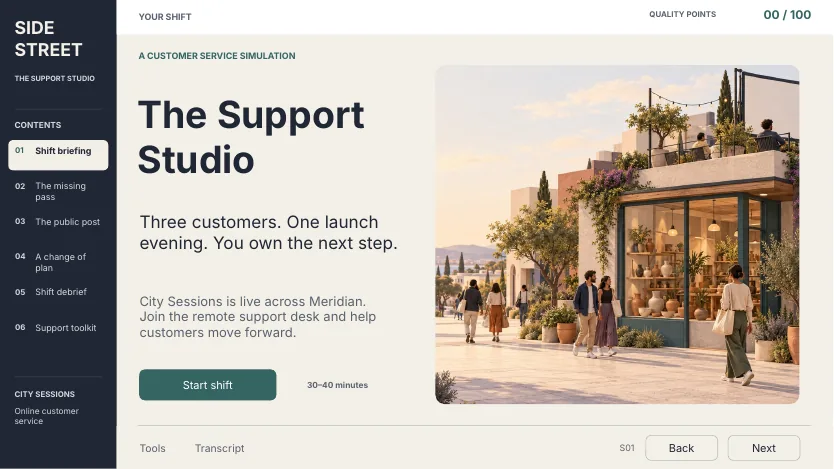
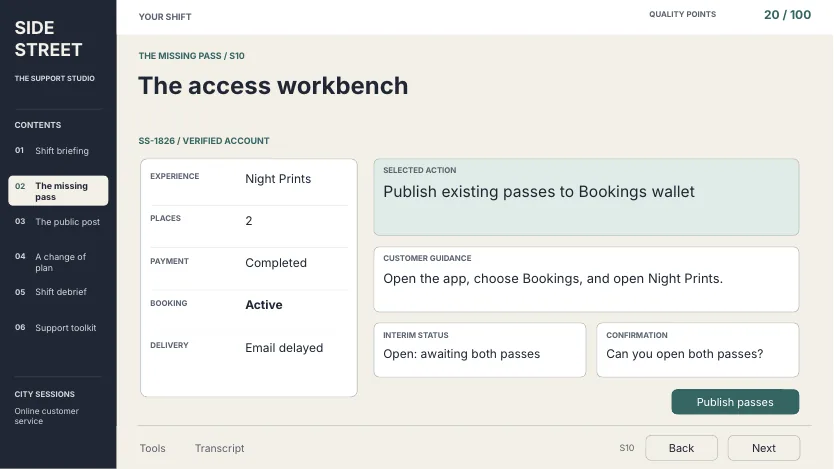
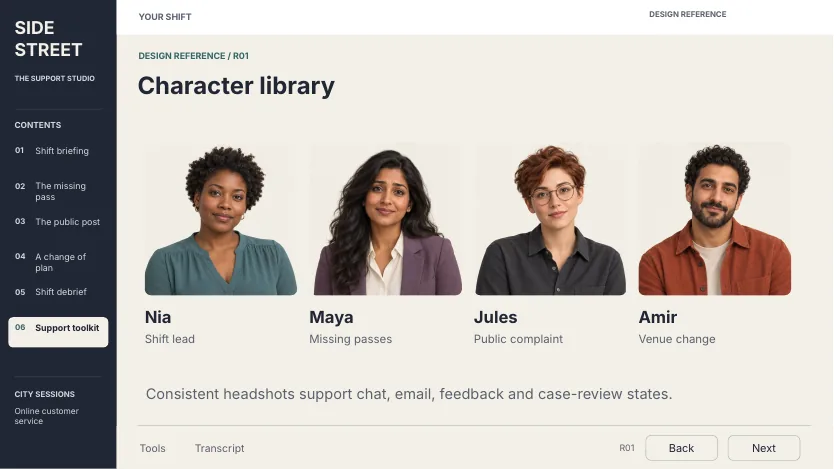
Before any AI work, I storyboarded the whole course. The content storyboard, in Word, holds the learner-facing script, interaction logic, answer criteria and branching feedback. The visual storyboard, in PowerPoint, lays out every screen and includes a character library and a visual language page.
Step 2
A first try that missed
Before I brought in the storyboards, I asked for a customer service course from an idea alone.
Make it interactive and scenario-based. I like the idea of a dark noir course where the learner has to act like a detective… If you can add some realistic scripting and audio, that would be helpful too. When doing the scenarios, make interactive chatboxes, text messages, emails, or whatever form of communication would be relevant to the theme.Shortened and lightly edited for typos.
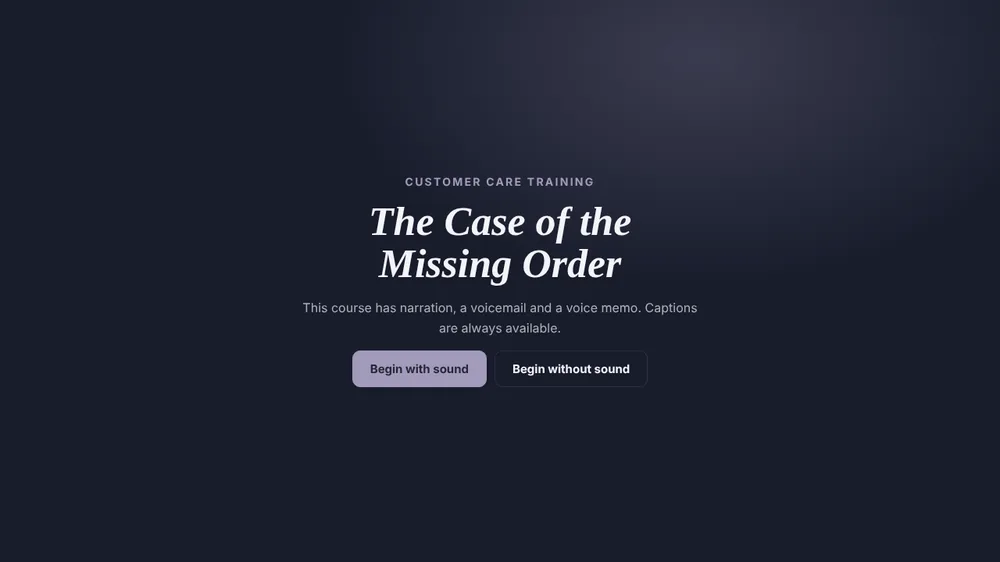
It worked, but it felt outdated. Instead of patching it with more prompts, I went back to my storyboards and started over.
Step 3
The prompt that worked
The second time, I attached both storyboards and said exactly what I wanted, and what I didn't.
Use the visuals in this PPT. You don't have to follow it perfectly, but use it for ideas. I'm open to different fonts and interactions. I also added a Word doc storyboard that I'd like you to use for content and visualization ideas. I'd like more visuals than what's currently in the storyboard, like background scenes along with the avatars. Don't make the images look too linear. I want them detailed but not overcrowding the scene. Do not add any audio. You can add an on-screen script, but no transcript in the sidebar.Lightly edited for typos.
Why it worked
- 1Two sources of truth. The Word storyboard set the content. The PowerPoint set the look.
- 2Room to improve. "Use it for ideas" let the build go past the slides where that helped.
- 3Visual direction in plain words. Background scenes, avatars, detailed but not crowded.
- 4Clear limits. No audio and no sidebar transcript, stated up front.
Step 4
Storyboard vs. build
The structure, copy and interactions come straight from the storyboard. The build reuses the storyboard's photos as full background scenes, cuts the characters out so they stand in each scene, and adds the working logic.
S01 · The launch shift
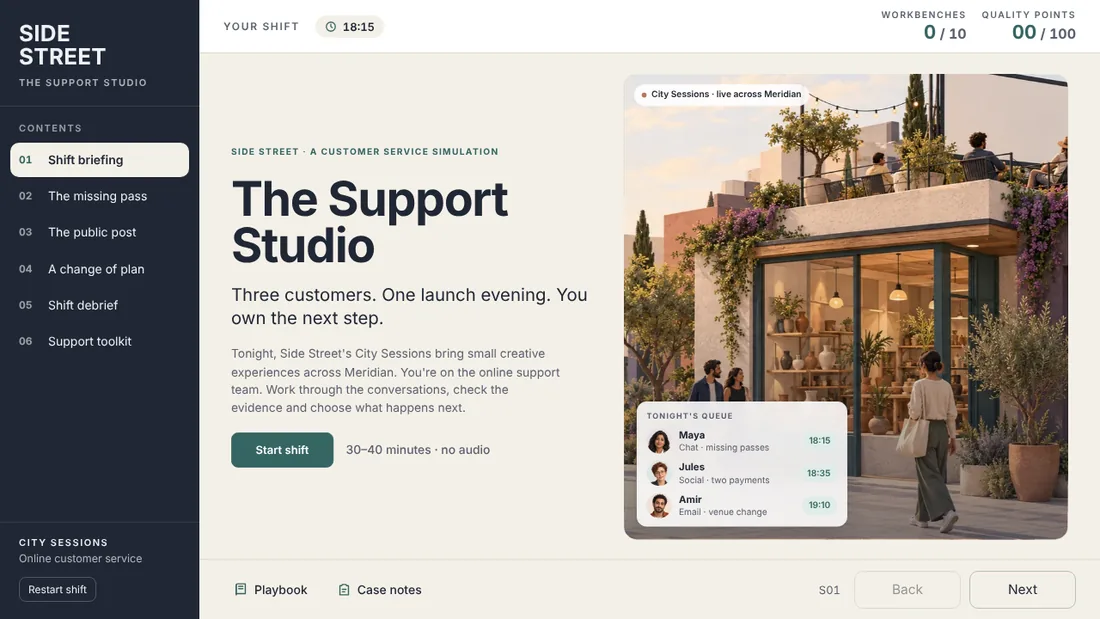
Same layout and copy. The build adds a preview of tonight's three-customer queue over the scene.
S06 · The message behind the ticket
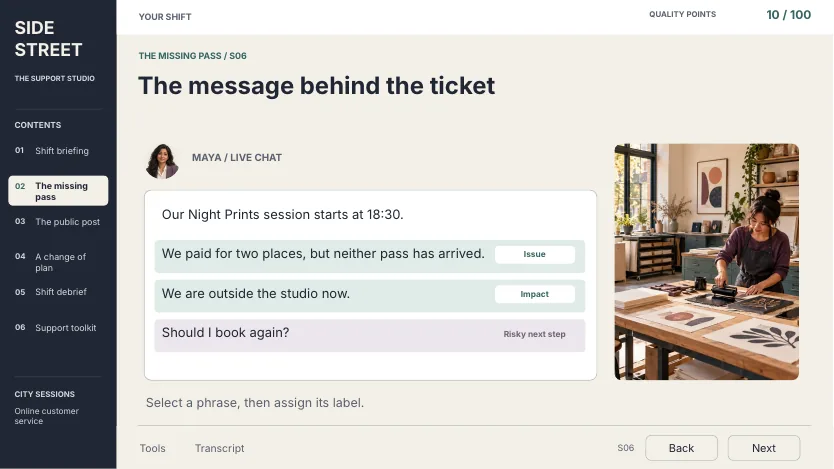
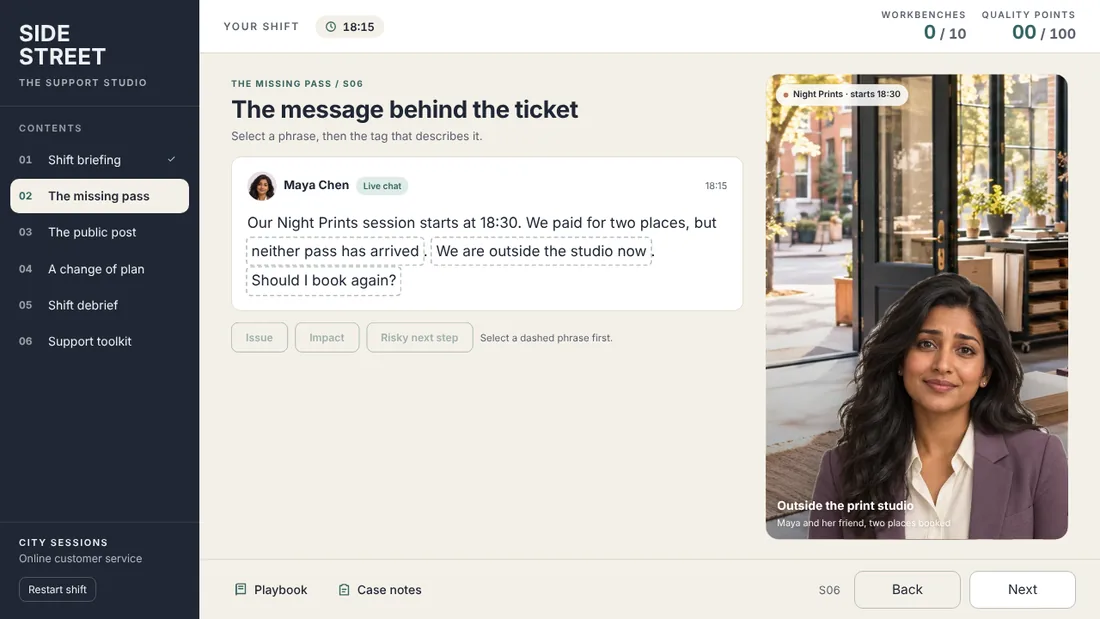
The phrase-tagging task works as designed. Maya now stands in the scene beside her chat.
S10 · The access workbench
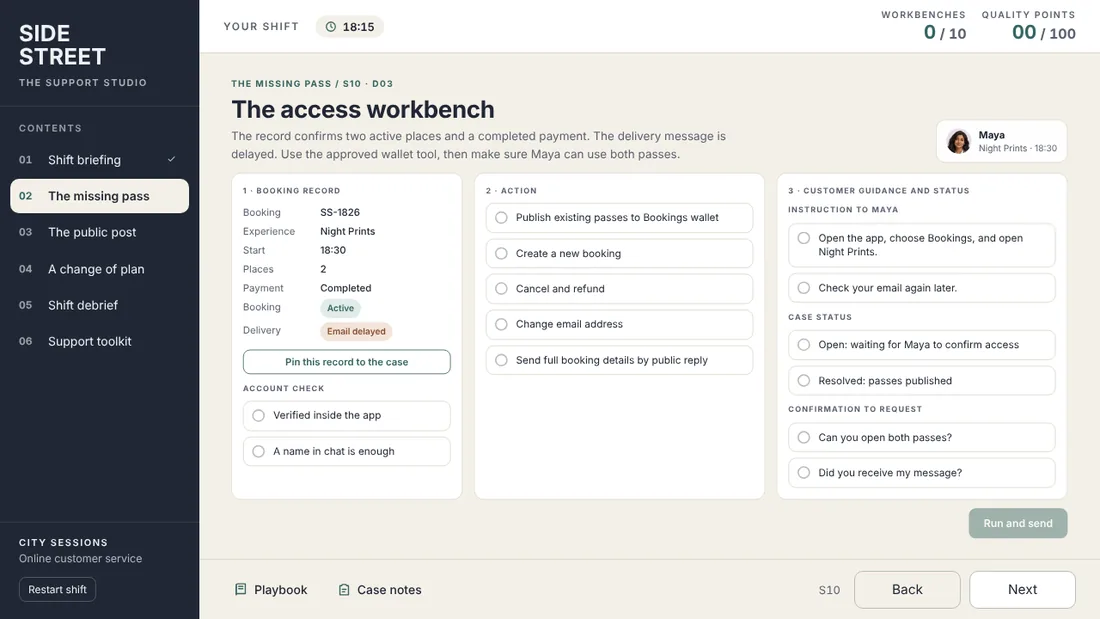
The three columns become a working, scored workbench, checked against the answer criteria in my storyboard.
Step 5
Who did what
AI did a lot of the building. The design decisions stayed with me.
Me
- Storyboarded every screen: script, interactions, answer criteria, feedback and layout
- Rejected the first concept and changed direction
- Set the visual direction and the limits
- Reviewed the build and approved it
AI
- Built the 31 screens as a working HTML course
- Turned my answer criteria into scoring and branching
- Cut characters out of the storyboard photos and placed them in scenes
- Tested each path and fixed the layout problems it found
What I'd do again
- Start from a finished storyboard. The idea-only prompt came back generic. The storyboard came back close to what I designed.
- Put the limits in the prompt. Saying no audio, no transcript and "not crowded" shaped the result as much as the content did.